
Office 365 signature management
Control & automate Office 365 signatures
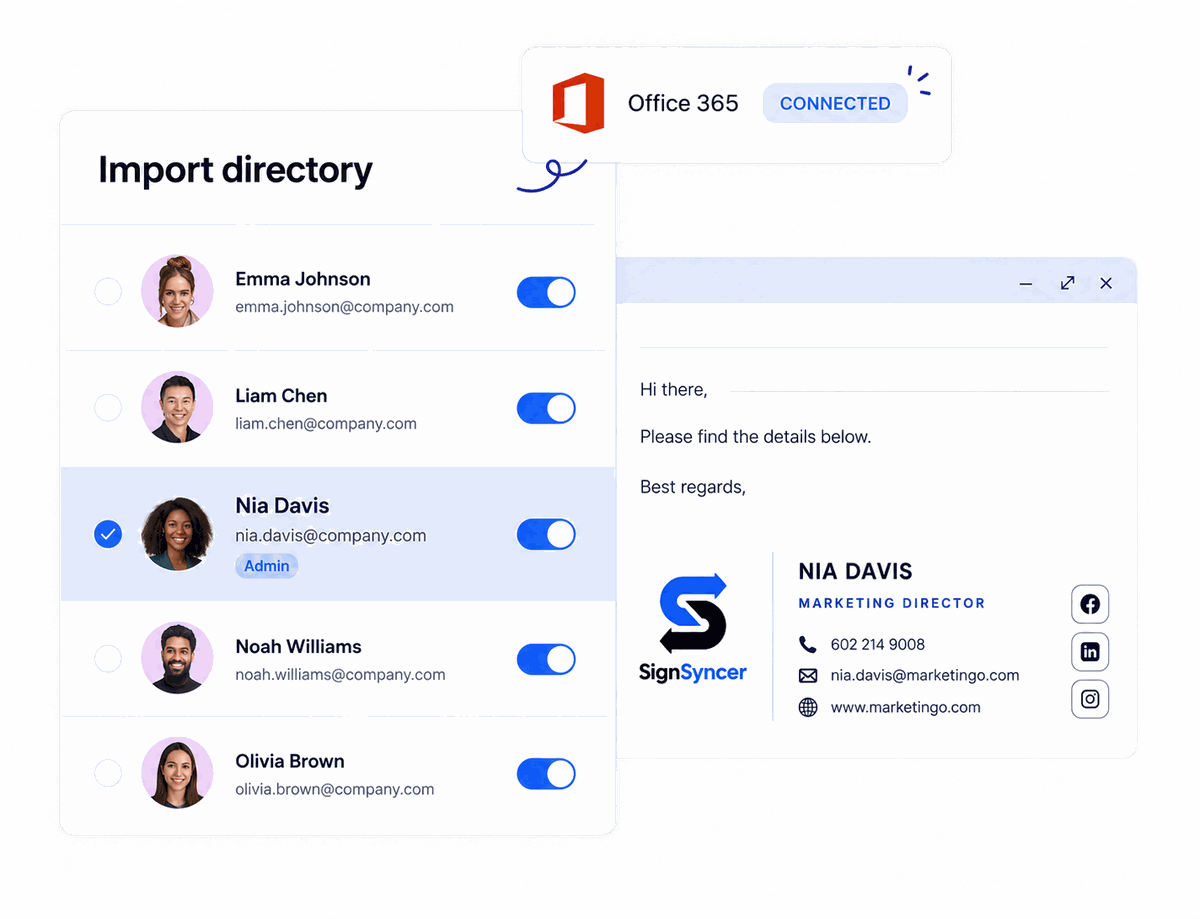
Deploy company-wide signatures from Entra ID to every Outlook client, without touching individual mailboxes.
Built for IT teams managing Microsoft 365 at scale
How it works
Take email signatures off IT's plate

"I don't have to set up new users manually — it happens the moment they're created."
— Early access design partner, Director of IT
Centralized control
Manage signatures without touching individual mailboxes
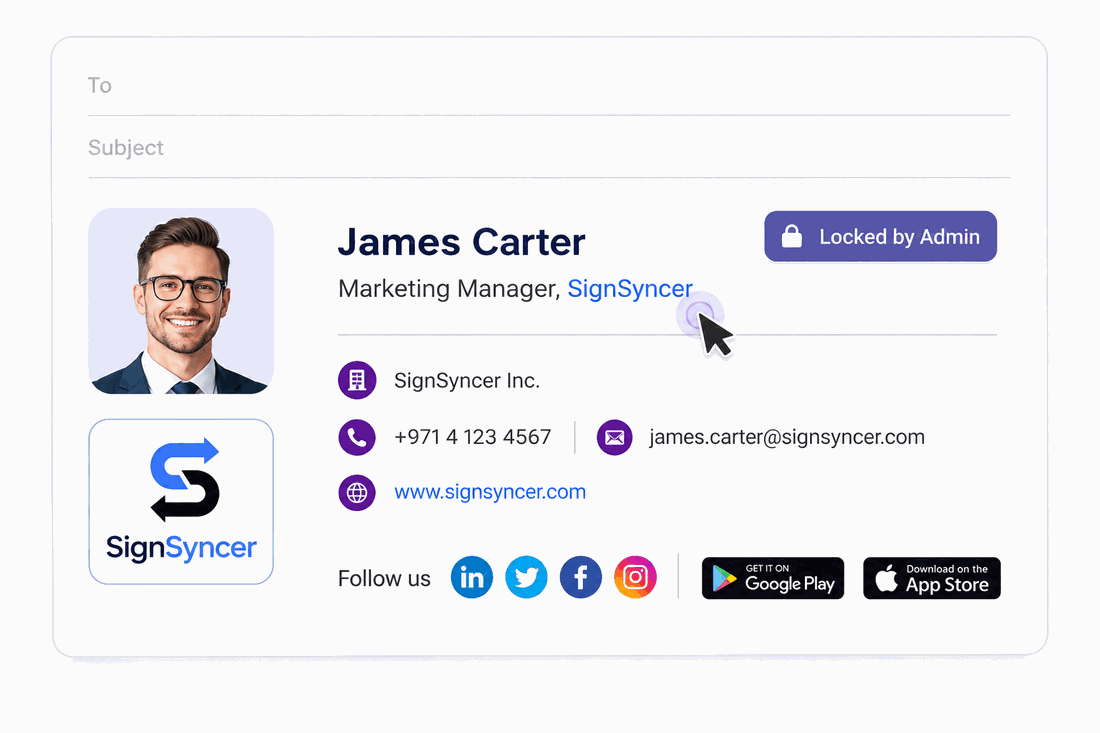
- One update deploys to every mailbox instantly
- Lock brand fields, let employees edit personal ones
- Audit log tracks every change with a timestamp
Entra ID integration
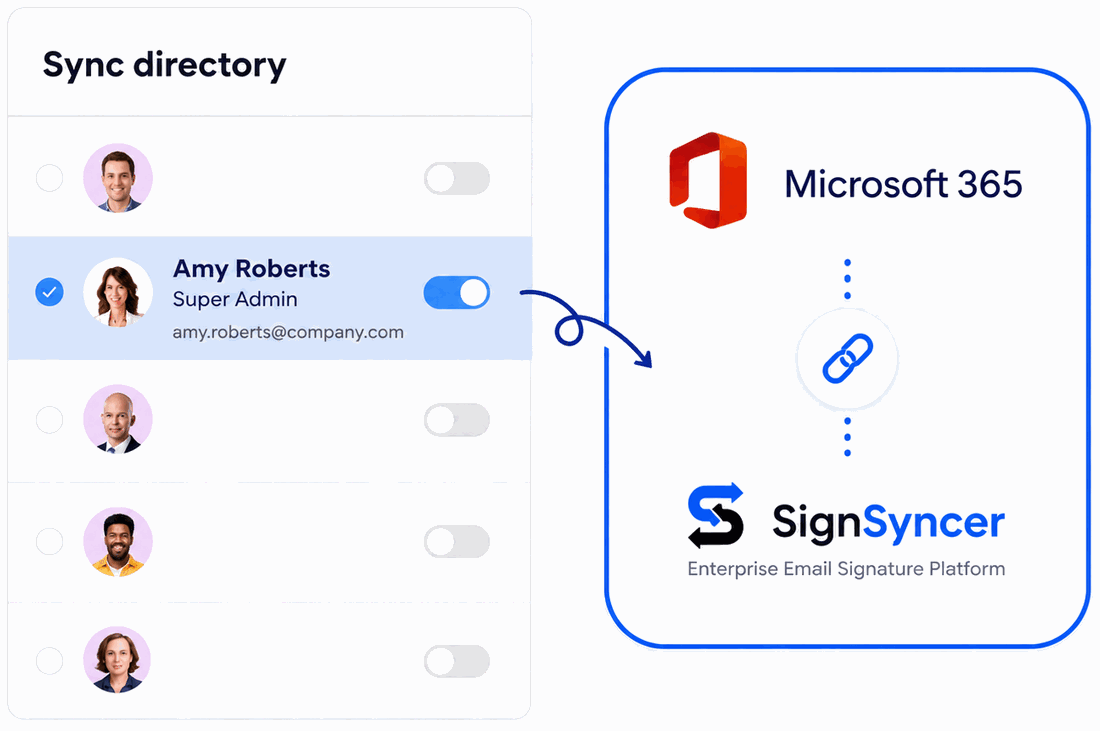
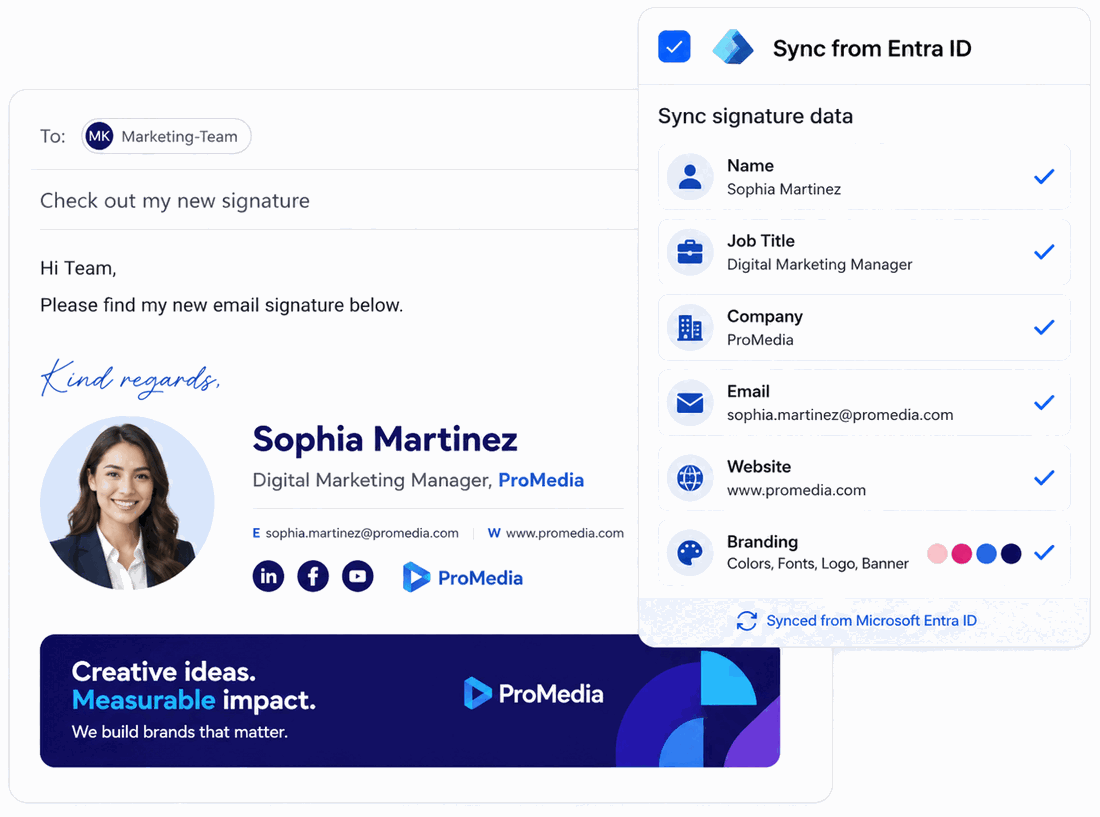
Sync signature data directly from Entra ID
- New hires get a signature the moment they're provisioned
- Departing employees' signatures deactivate automatically
- Dynamic fields pull name, title, and phone automatically
Cross-device consistency
Identical signatures across every Outlook client
Outlook desktop, web & mobile
Covers desktop, web, and mobile clients with the same rendering.
Windows, Mac, iOS, Android
Same layout regardless of operating system.
No broken logos or content
Consistent rendering, every time, on every client.
Deployment options
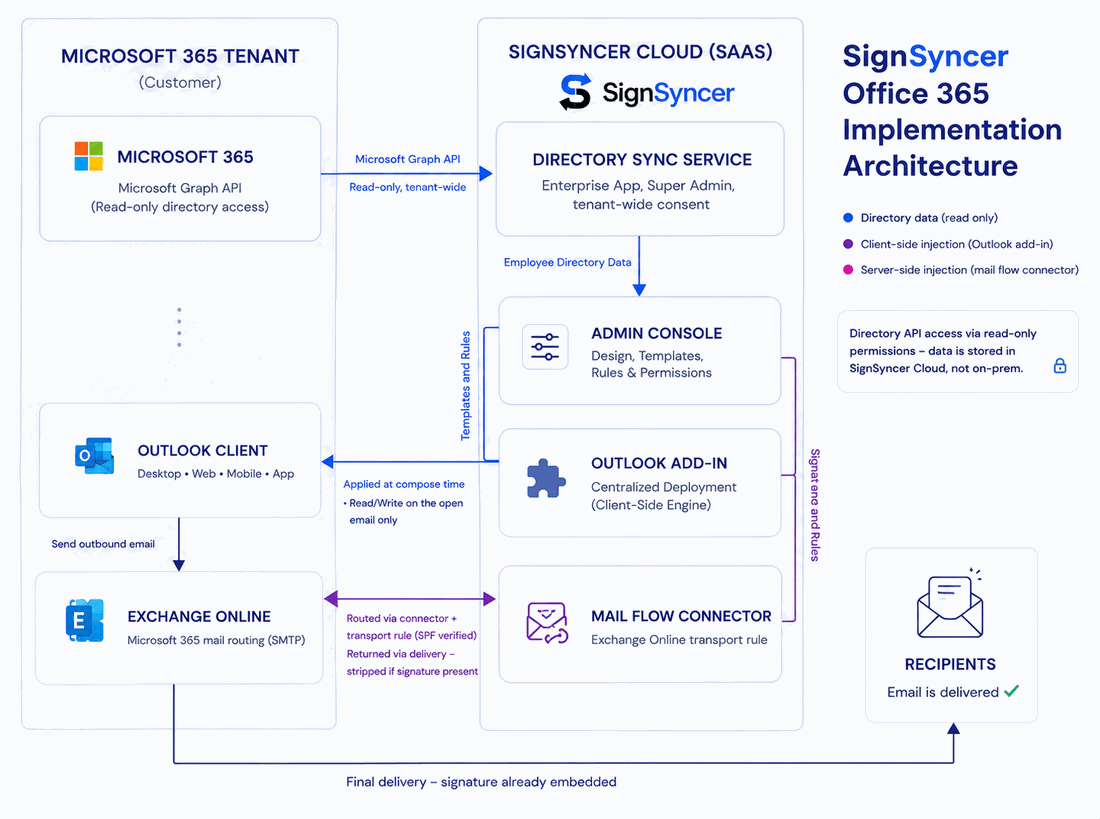
Deploy via Outlook Add-in, server-side, or both
Outlook Add-in
Deploy from the Microsoft 365 admin center — no per-device installs.
Server-side injection
Signatures are appended automatically at the mail layer.
Hybrid
Run both for compose-time preview and guaranteed cross-client coverage.
Team capabilities
Give every team what they need
Give marketing autonomy to design and update signatures
- No-code drag-and-drop signature design
- Banner campaign scheduling
- Signature click and impression analytics

Give every rep a signature that drives pipeline
- Embed demo booking or resource CTAs in every rep's signature
- Sync rep details automatically from your CRM
- Schedule banners around launches or campaigns

Enforce the right disclaimer in every email
- Disclosures and confidentiality clauses assigned by department
- Every email from that group carries the correct disclaimer automatically
- Audit log shows which disclaimer was active, for any user, on any date

Turn every email into a channel for feedback
- Review widgets pull your current rating automatically
- One-click CSAT or survey link in the signature
- Social feed widget surfaces recent content on every send

Automate the signature lifecycle end-to-end
- New hires get a fully formatted signature on day one
- Departing employees' signatures deactivate automatically
- Contact handoff redirects to the right person after departure

Native vs. SignSyncer
What does native Microsoft 365 signature management leave unsolved?
| Capability | Native Microsoft 365 | SignSyncer |
|---|---|---|
| Signature inserts below latest reply | No | Yes |
| Embedded images and logos | No | Yes |
| Visibility in Sent Items | No | Yes |
| Compose-time signature preview | Server-side only | Yes (Add-in) |
| Consistent across all Outlook clients | Unreliable | Yes |
| Auto-provision new hires from Entra ID | Manual | Automatic |
| Disclaimer enforcement by department | No | Yes |
| Marketing banners & click analytics | No | Yes |
| Audit trail and change history | No | Yes |
Take control of company email signatures
Stop signature chaos. Roll out standardized, brand-consistent signatures company-wide in less than a day.
FAQ
Office 365 signature questions
A tool that centrally deploys and controls email signatures across Microsoft 365 mailboxes — syncing employee data from Entra ID, enforcing brand and compliance templates by department, and rendering consistently across every Outlook client.
Microsoft 365 includes a basic native organization-wide signature option, but signatures don't reliably appear below the latest reply, images can't be embedded natively, and rendering varies across Outlook clients. SignSyncer addresses these gaps with centralized deployment from Entra ID.
No. The Outlook Add-in deploys centrally from the Microsoft 365 admin center, and server-side injection appends signatures at the mail layer — neither requires visiting individual machines.
Assign department-specific disclaimer text once, and it's locked into every outgoing email from that group automatically. The audit log records which disclaimer was active for each user on any date.
When an employee is deprovisioned in Entra ID, their signature deactivates automatically — no manual IT step required.