Building SignSyncer — currently onboarding our first design partners. Request early access →
SignSyncer
Exchange signature management

Control & automate Exchange signatures

Centralized Exchange signature management with live Active Directory sync — on-prem, online, or hybrid.

Built for IT teams managing Exchange at scale
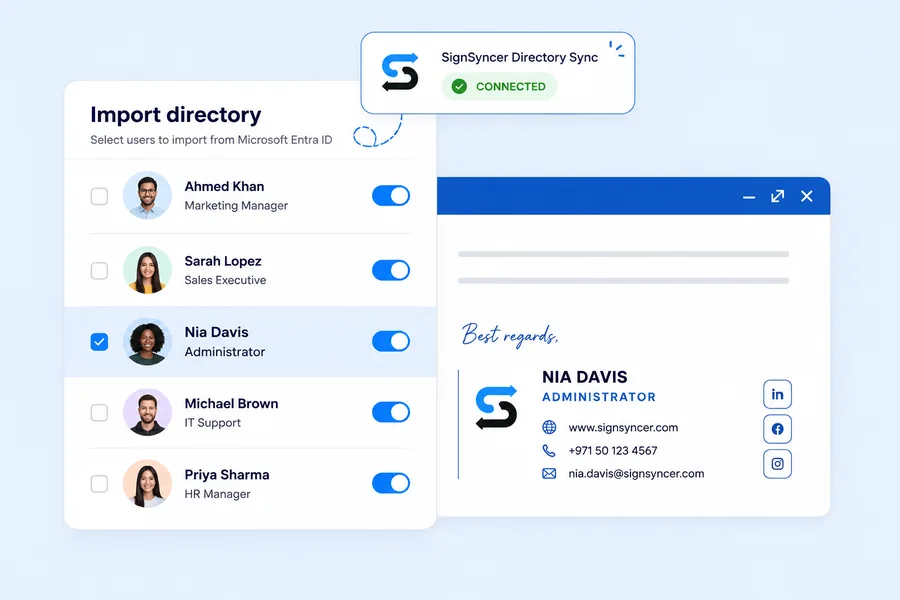
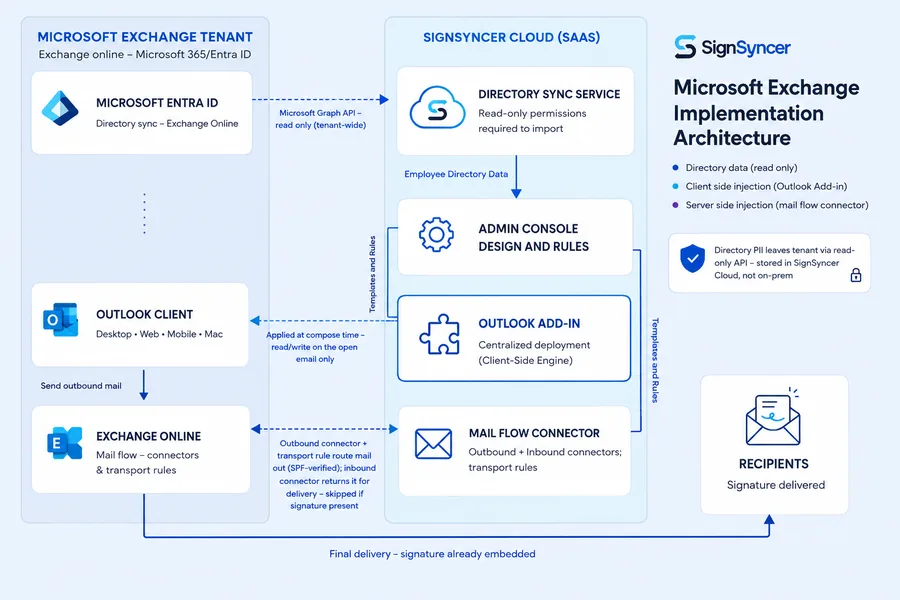
SignSyncer Microsoft Exchange implementation architecture diagram
How it works

Take email signatures off IT's plate

Connect SignSyncer to Exchange in minutes

  • Grant permissions via Entra ID or on-prem Active Directory
  • Map directory fields: name, title, department, phone, photo
  • Deploy server-side via journal connector or transport rule
  • Push the Outlook Add-In via MDM, GPO, or admin center

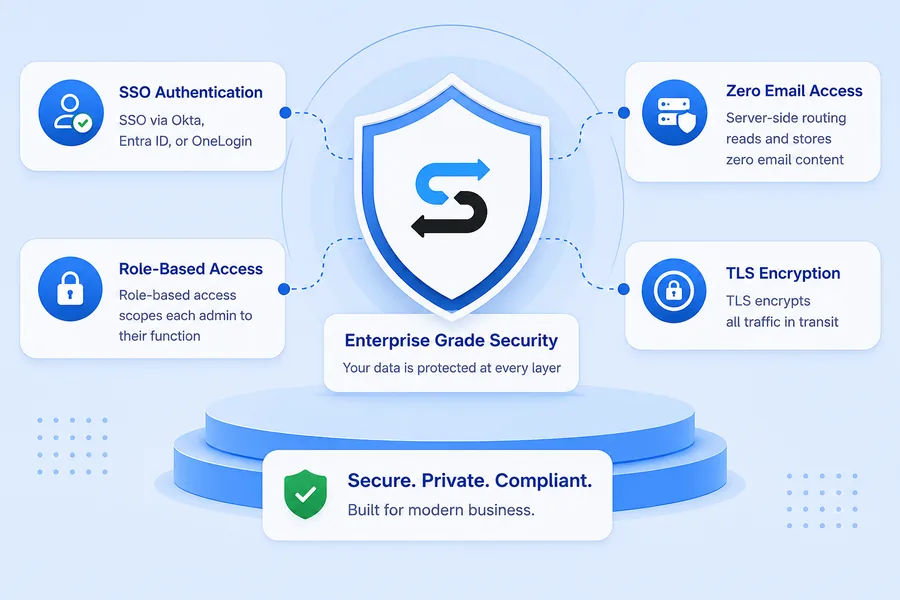
Built with enterprise security practices in mind

  • SSO via Okta, Entra ID, or OneLogin
  • Role-based access scopes each admin to their function
  • Server-side routing reads and stores zero email content
  • TLS encrypts all traffic in transit

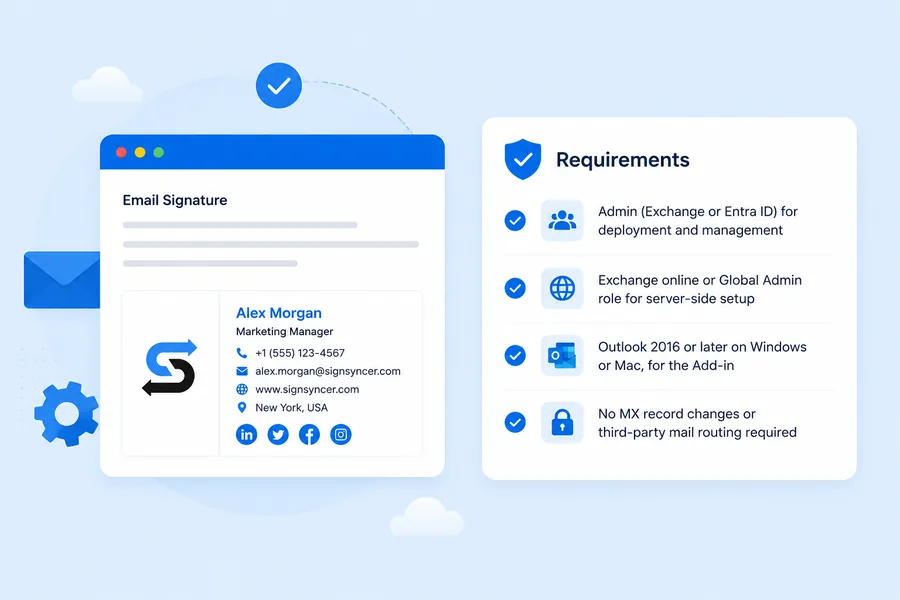
Preparations for deployment

  • Active Directory or Entra ID for signature assignment
  • Exchange admin or Global Admin role for server-side setup
  • Outlook 2016 or later, on Windows or Mac, for the Add-In
  • No MX record changes or third-party mail routing required
Connecting SignSyncer to Exchange — Microsoft Exchange implementation architecture SignSyncer enterprise-grade security overview Requirements checklist for deploying SignSyncer with Exchange
"IT doesn't have to train and retrain everyone on how to update signatures anymore."

— Early access design partner, Security Operations Manager

Exchange compatibility

Deploy to on-prem, Exchange Online, and hybrid

On-prem Exchange Server

Supports Exchange 2010, 2013, 2016, and 2019.

Exchange Online

Works within your Microsoft 365 environment.

Hybrid Exchange

Same templates work across on-prem and cloud users.
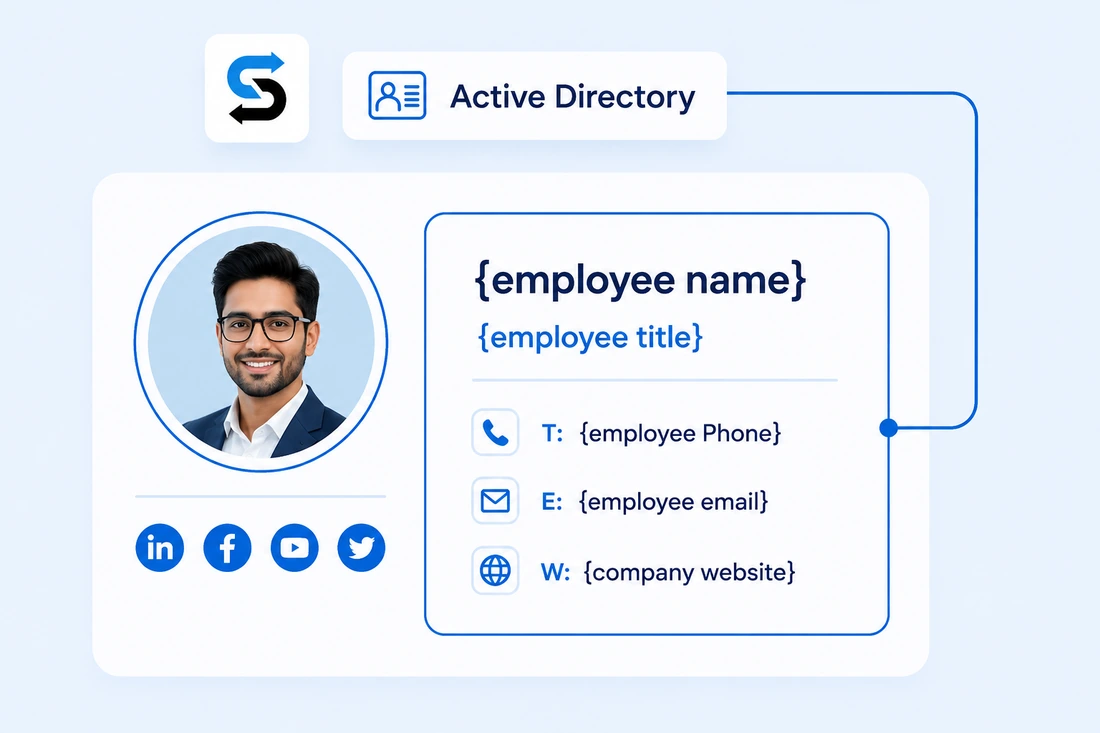
Active Directory integration

Sync signatures from Active Directory automatically

  • Pulls name, title, phone, department, and photo from AD
  • One AD change updates every assigned signature instantly
  • Assign by security group, OU, or department automatically
SignSyncer pulling employee name, title, phone, email and photo from Active Directory into an email signature
Signature enforcement

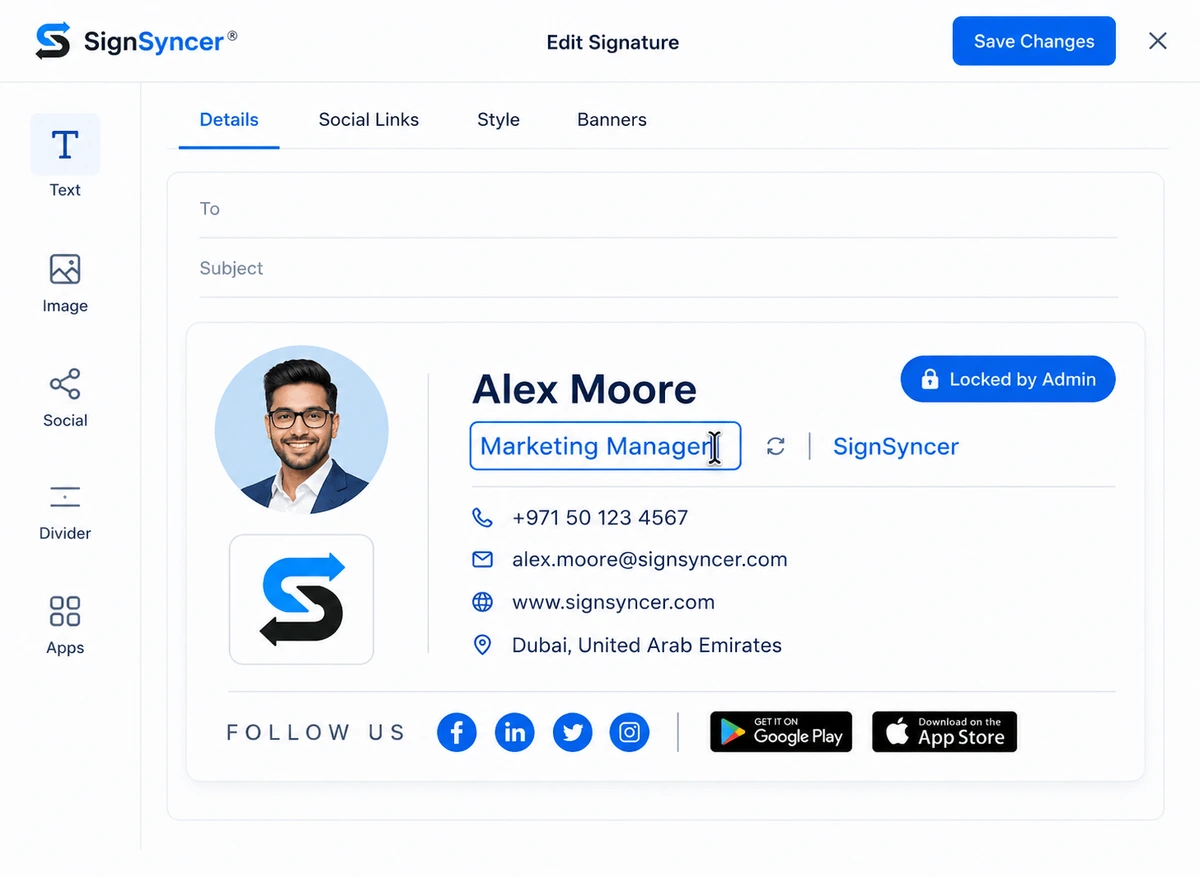
Signatures update themselves

  • AD changes sync automatically
  • New hires receive a deployed signature on their first day
  • Offboarding archives signatures when a user is deprovisioned
SignSyncer signature editor showing a locked, admin-controlled signature with job title synced from Active Directory
Access control

Give each team the right access

Marketing

Updates templates and banners — no IT needed.

Employees

Update permitted personal details only.

IT

Locks governed fields so brand standards never drift.

Access sync

Each team's access syncs automatically with their Exchange role.

Native vs. SignSyncer

What does native Exchange signature management leave unsolved?

CapabilityNative Exchange transport rulesSignSyncer
Visible in Sent ItemsNoYes (client-side)
Blank AD attributesLeaves empty linesAuto-hidden
Inline images and logosNoYes
WYSIWYG editorNoYes
Non-IT managementIT onlyMarketing self-serve
Compose-time previewNoYes (via Add-In)

Take control of company email signatures

Stop signature chaos. Roll out standardized, brand-consistent signatures company-wide in less than a day.

FAQ

Exchange signature questions

Software that centrally deploys, updates, and governs email signatures across Exchange environments — syncing from Active Directory, enforcing disclaimers, and staying consistent across every device.
Yes — on-prem Exchange Server (2010–2019), Exchange Online within Microsoft 365, and hybrid environments. Server-side deployment guarantees coverage regardless of where users are.
Transport rules don't show in Sent Items, leave blank lines for empty attributes, don't support inline images, and are IT-only. SignSyncer solves all of these.
No. Server-side deployment uses a journal or transport rule connector within your existing Exchange infrastructure — no email traffic is rerouted through third-party servers.
SignSyncer archives or removes the signature automatically when the employee is deprovisioned in Active Directory or Entra ID — no manual cleanup needed.