Skip to content
Building SignSyncer — currently onboarding our first design partners. Request early access →
SignSyncer

Enterprise

Email signature governance

Email signature management for enterprise

Centralize, govern, and enforce email signatures across every brand, platform, and employee.

Built for multi-brand, multi-region organizations
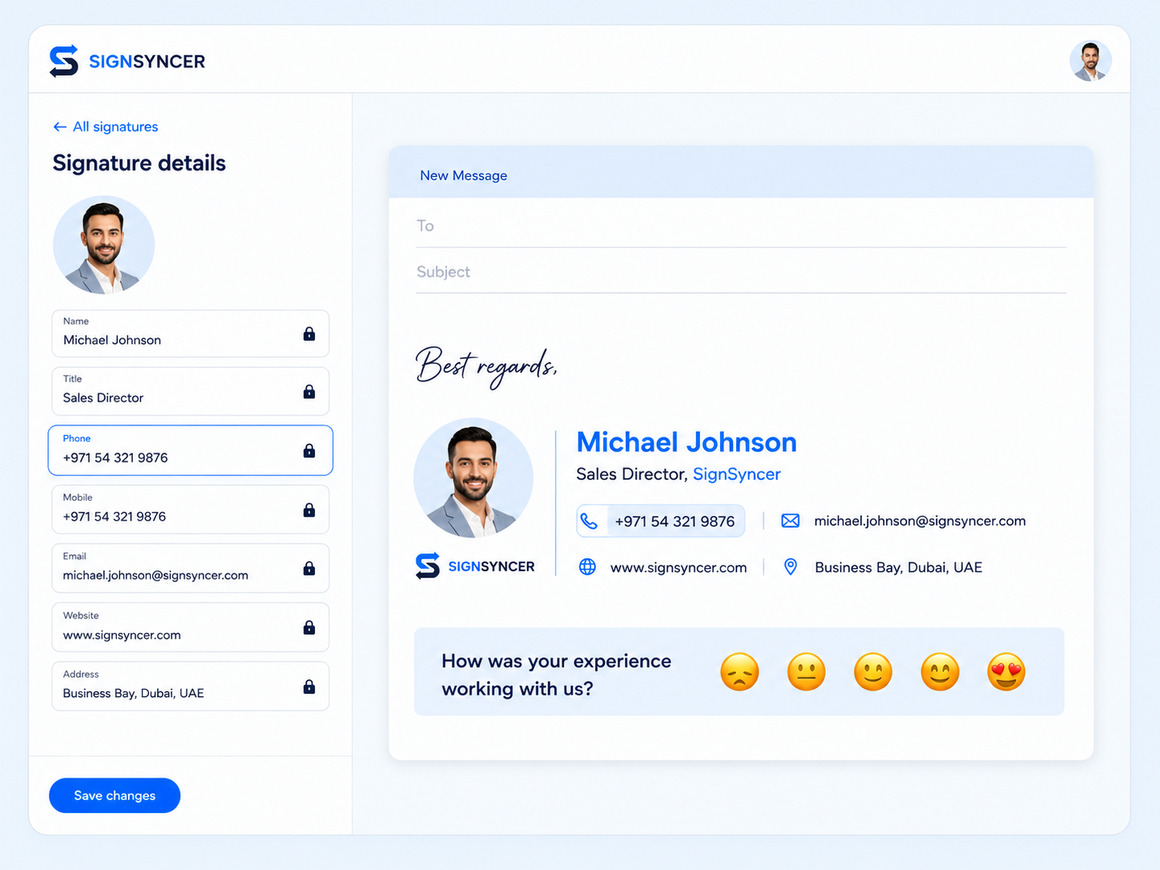
SignSyncer signature details panel with locked fields beside a live email compose-window preview
Email signature solution

Enterprise email signatures — solved

SignSyncer makes needless complexity go away and manages signatures so you don't have to — secure, scalable, and built for Google Workspace, Microsoft 365, and Exchange.
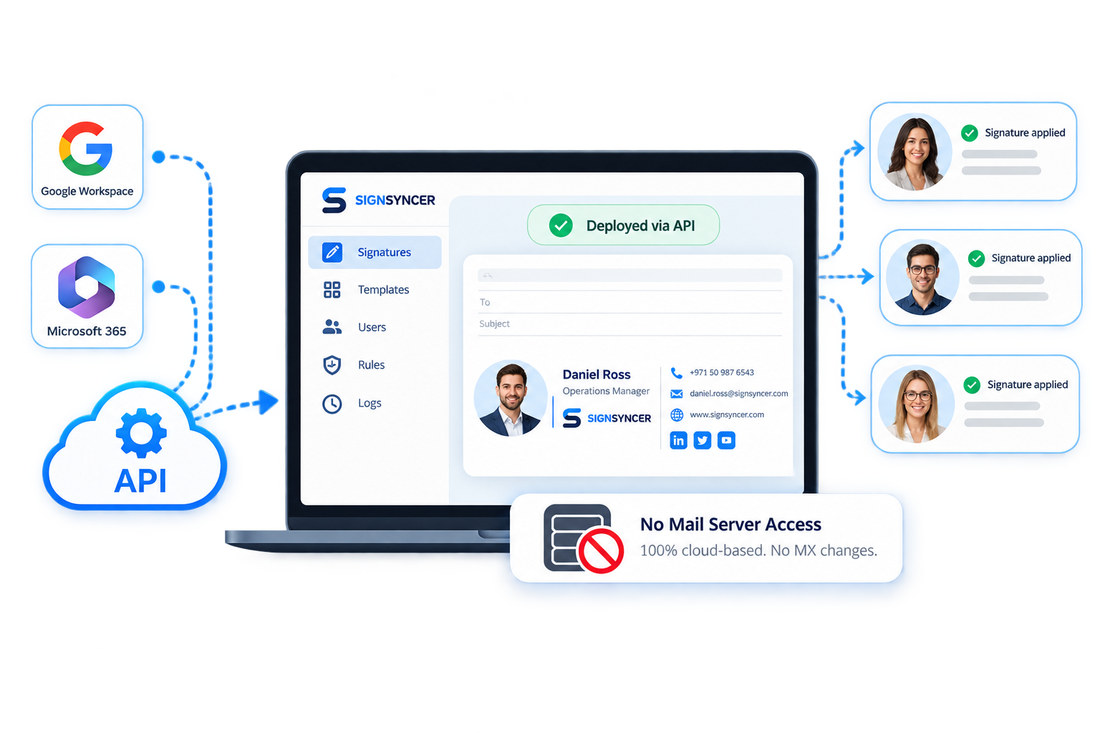
Deploy without touching your mail server

No MX changes required. Signatures add via native Google and Microsoft APIs, or server-side post-send. Your mail flow stays untouched.

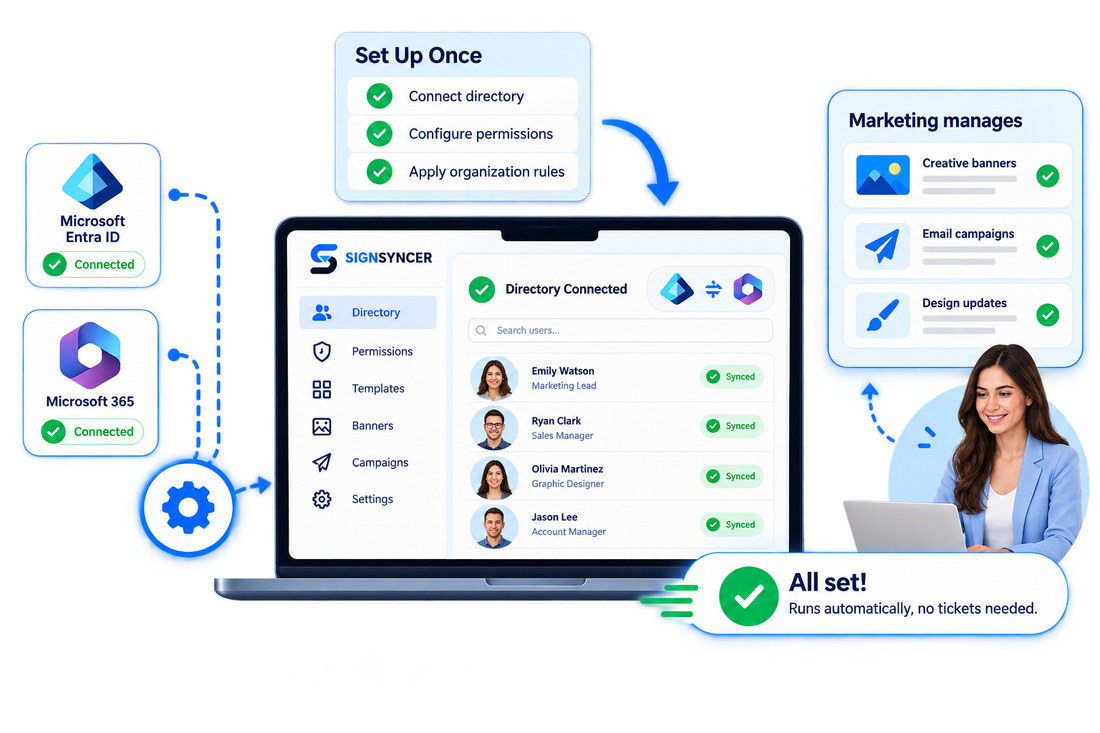
Set it up once, then step away

IT connects the directory and configures permissions once. Marketing manages ongoing creative, banners, and campaigns without opening a ticket.

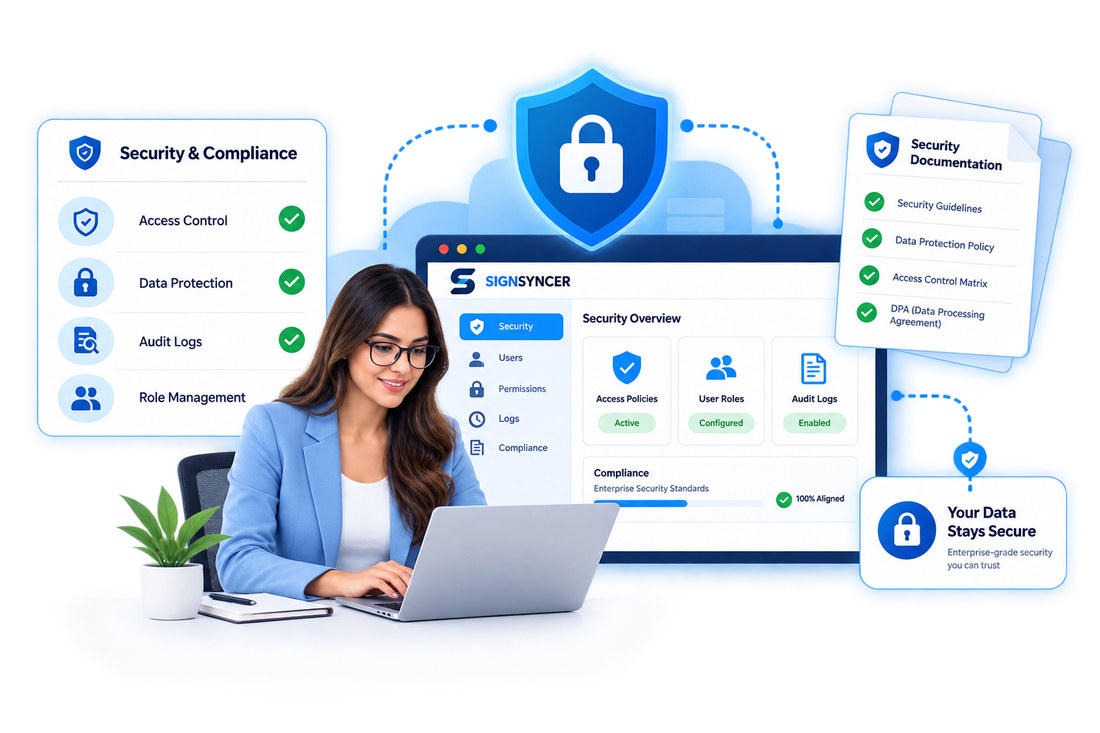
Meet your procurement team's security requirements

Built with enterprise security practices in mind. Security documentation and a Data Processing Agreement are available on request.

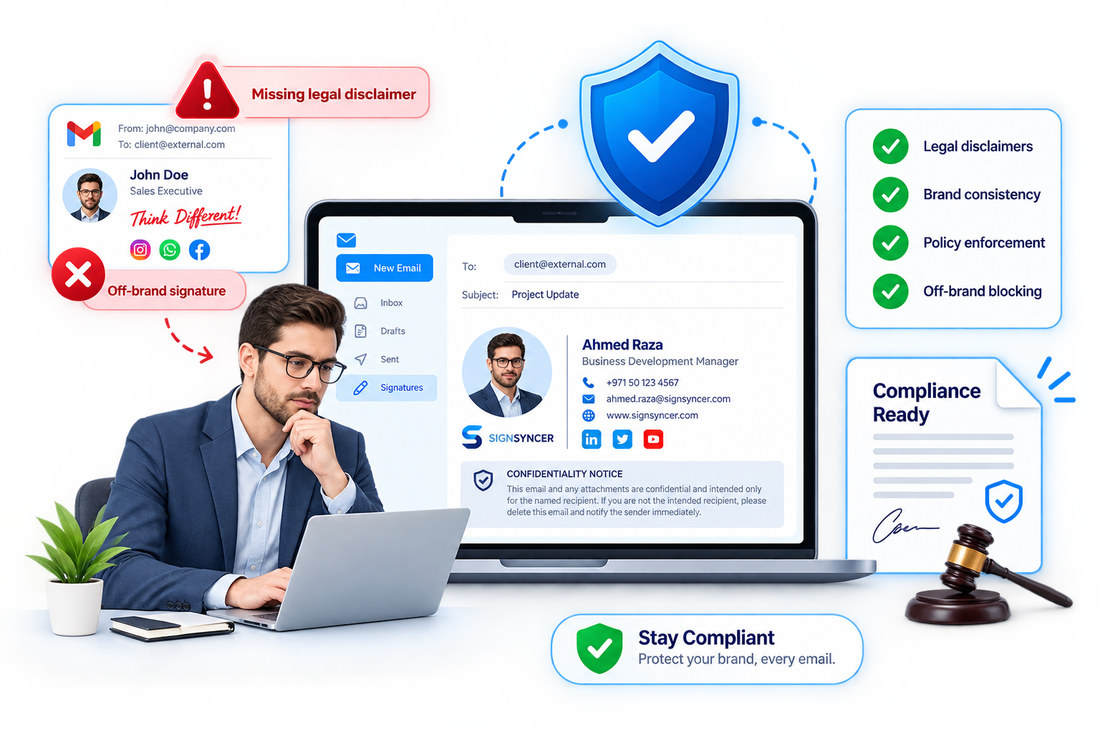
Don't let signatures become a compliance risk

Prevent regulated employees from sending email without a proper legal disclaimer, and stop off-brand signatures before they go out.

Deploy without touching your mail server: Google Workspace and Microsoft 365 connect to SignSyncer via API, signatures applied with no mail server access and no MX changes
Set it up once: IT connects Microsoft Entra ID and Microsoft 365 and configures permissions, then marketing manages banners, campaigns and design updates without tickets
SignSyncer security overview showing access control, data protection, audit logs and role management alongside available security documentation and a Data Processing Agreement
Compliance enforcement: an off-brand signature missing its legal disclaimer is blocked, while the approved signature carries the confidentiality notice
How SignSyncer works

Set up your enterprise signatures in 5 steps

Connect

Sync Entra ID or Google Workspace. IT sets integration once.

Org setup

Create a workspace per brand, region, or subsidiary.

Design & lock

Build in the Studio, then lock disclaimers and logos.

Assign

Map templates to departments, brands, or groups.

Deploy

Push server-side, client-side, or hybrid — track every change.

"We'd need this to support a multi-brand, multi-location company — each with different logos, addresses, and URLs."

— Early access design partner, Marketing Director

Centralized management

Control every employee signature from one place

  • Deploy one update to thousands of inboxes instantly
  • Group employees by department, brand, or region
  • Assign different signatures per team or message type
  • Activate new hires automatically, no IT action needed
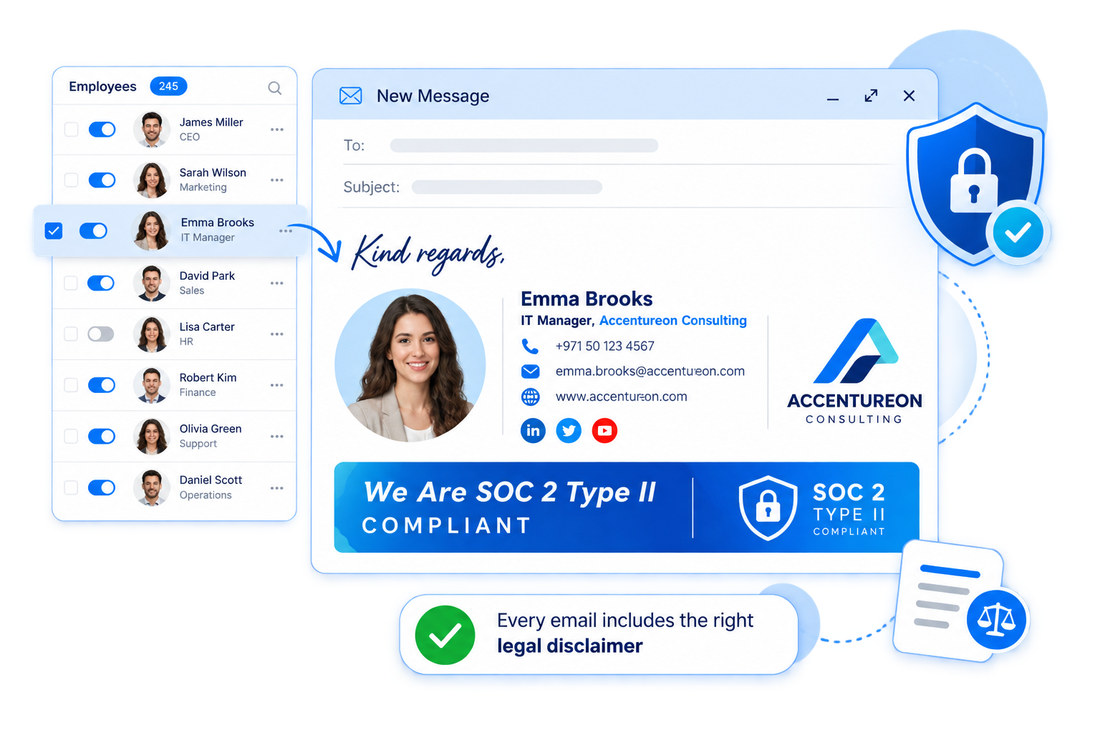
SignSyncer employee list with per-person toggles beside a New Message preview showing Emma Brooks’ locked signature, SOC 2 Type II banner and legal disclaimer
Multi-brand architecture

Manage every corporate brand from a single account

  • Separate brand workspaces under one admin account
  • Different logos, disclaimers, and templates per entity
  • Manage multiple brands in the same account cleanly
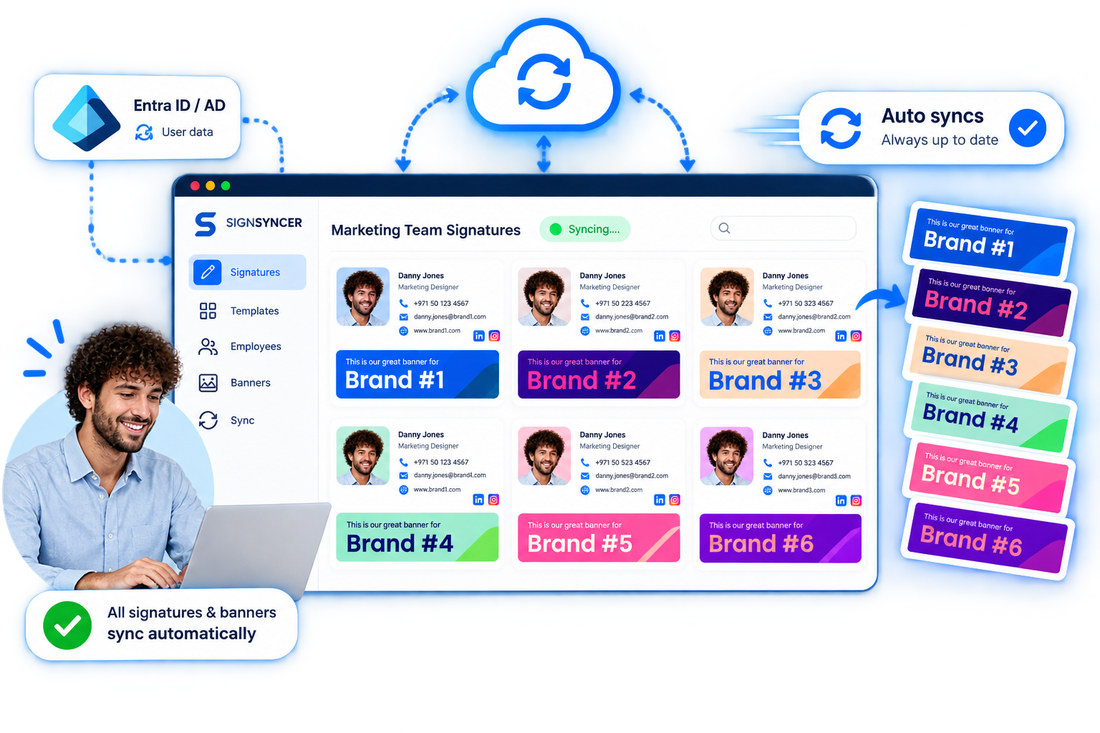
SignSyncer dashboard syncing marketing team signatures from Entra ID, with six differently branded banner designs applied per brand workspace
Brand governance

Lock critical fields, let employees self-serve the rest

Locked fields

Logos, legal text, and disclaimers locked for all employees.

Self-service

Employees update permitted fields without IT tickets.

Distinct roles

IT, marketing, designer, HR, and branding roles, separately scoped.

Audit trail

Full change history on every update.

Native vs. SignSyncer

Where native signature management falls short

CapabilityNative Microsoft 365 / Google WorkspaceSignSyncer
Signatures apply to replies and forwardsNo (append-only)Yes
Multi-brand / multi-org managementNoYes (separate workspace per brand)
Role-based access and locked fieldsNoYes (full RBAC)
Directory-driven personalizationManual, static textAutomatic, daily sync
Compose-time signature previewNoYes (Add-in, Extension)
Consistent across desktop, web, mobileUnreliableYes
Audit trail and change historyNoYes
Marketing banner campaignsNoYes (self-serve)

Take control of enterprise email signatures

Stop signature chaos. Roll out standardized, brand-consistent signatures org-wide in less than a day.

FAQ

Enterprise questions

The process of centrally controlling, deploying, and governing employee email signatures across an organization — so consistency and compliance don't depend on individual employees remembering to comply.
No MX record changes or mail server modifications are required. Deployment uses native API insertion or server-side post-send injection — both leave your DNS records and mail routing untouched.
Distinct roles — Owner, Admin, Org Manager, Marketer, HR, Designer, and IT — each get scoped access. Admins lock fields like logos and legal text; employees update only what their role permits, with every change captured in an audit trail.
Yes — each brand or entity gets its own workspace under a single admin account, with separate logos, disclaimers, and templates managed centrally.
New hires are detected via directory sync and assigned the correct template automatically. Removing an employee from the directory deactivates their signature — no manual IT step either way.